 Free
Free
Home › Templates › CRM › Fulcrum
CRM dashboard template
Fulcrum Lead Management Dashboard Template
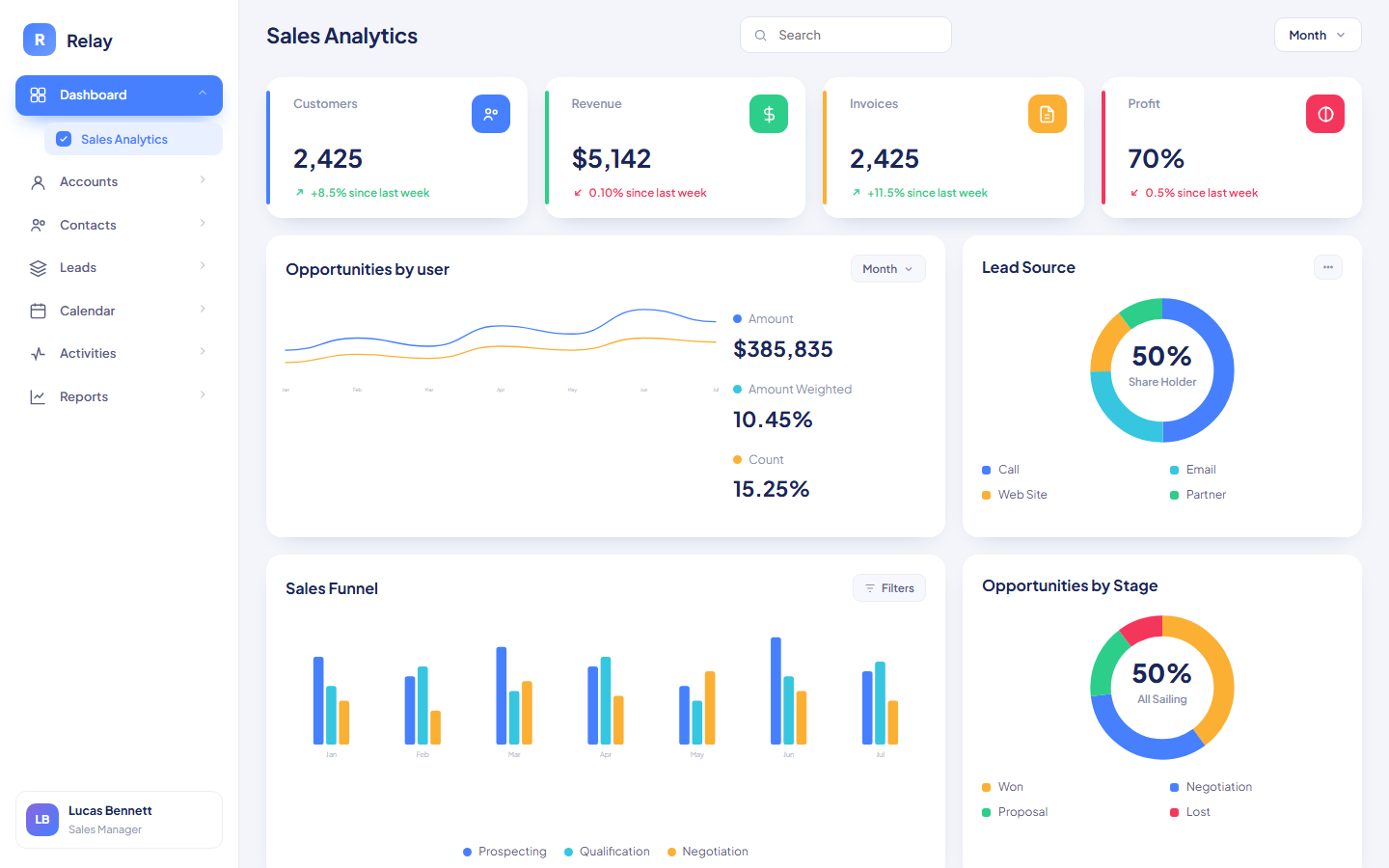
Fulcrum is a single-file HTML dashboard template that runs lead management with a clickable deal kanban, engagement scoring, and account renewal tracking.
Fulcrum is a lead management CRM dashboard template for teams that work a defined pipeline from qualification to close. The template pairs a dark sidebar with a light Pipeline Cobalt content area, includes a dark mode toggle, and splits the work across 4 views: Dashboard, Contacts, Leads, and Accounts. It ships as one HTML file in Roboto with all charts drawn as inline SVG from data arrays in the script.
The Dashboard opens with Pipeline value at $412,590 weighted across 74 open deals, a Customer satisfaction score of 4.3 from 218 responses, and Leads by industry bars for Software, Healthcare, Retail, and Manufacturing. The Leads view is the working surface: a kanban with 4 stages (Qualify, Meeting, Proposal, Won) where clicking a deal card advances it a stage and the column sums update. Beside the board, Stage conversion bars show Qualify to Meeting at 64%, Meeting to Proposal at 48%, and Proposal to Won at 71%, and a Pipeline coverage panel measures open plus won value against the $180K quarterly target.
What is inside Fulcrum
- Pipeline value card showing $412,590 weighted across 74 open deals with an area trend chart
- Customer satisfaction panel with a 4.3 star rating from 218 responses and partial star fills
- Leads by industry horizontal bars for Software (58), Healthcare (34), Retail (27), and Manufacturing (12)
- Call outcomes donut with Answered (312), Missed (120), and Voicemail (48) segments and a hover-dimming legend
- Clickable 4-stage deal kanban (Qualify, Meeting, Proposal, Won) with per-column dollar sums and locked won deals
- Stage conversion bars at 64%, 48%, and 71% plus a pipeline coverage panel against the $180K quarterly target
- Contacts directory with engagement score bars, role and company columns, live filter search, and an activity feed
- Recent contacts table with working Approve and Reject buttons that update the sidebar pending count
- Accounts view with ARR $1.61M, NRR 108%, at-risk ARR $96K, a health table, tier segmentation bar, and 90-day renewals list
- Dark mode toggle, Ctrl K search hint, and hash-based view routing
Who Fulcrum is for
Fulcrum gives sales directors the Pipeline value card and coverage panel to see whether the book can hit the $180K quarterly target, with the template noting that healthy pipelines run at 3x coverage.
Account executives use the Leads kanban to advance deals through Qualify, Meeting, Proposal, and Won by clicking cards, with won deals locked against further moves.
Sales development reps use the Contacts directory to sort outreach by engagement score, rendered as a colored bar that shifts from red through amber to green.
Customer success managers use the Accounts view to watch ARR of $1.61M, net revenue retention at 108%, at-risk ARR of $96K, and the renewals due in the next 90 days.
Front desk or ops staff use the Recent contacts table to approve or reject new signups, which updates the pending count pill in the sidebar.
When to reach for it
Fulcrum suits a team whose pipeline lives in a spreadsheet that nobody trusts. The kanban replaces the stage column, the conversion bars replace the funnel chart someone rebuilds for the forecast call, and the coverage panel does the coverage ratio math automatically.
Fulcrum also fits subscription businesses that need renewals next to new business. The Accounts view combines a health table (Account, Tier, ARR, Health, Owner), a tier segmentation bar showing Enterprise at 46%, Growth at 38%, and Starter at 16% of ARR, and a dated renewals list, so expansion and retention sit one click away from the new-deal board.
Specifications
| Format | Single self-contained HTML file; zero dependencies, no build step |
|---|---|
| Theme | Pipeline Cobalt |
| Mood | Light |
| Category | CRM |
| Price | $6.99, one-time |
Frequently asked questions
How does the Fulcrum kanban board work?
The Fulcrum kanban board renders deals as cards across 4 stages: Qualify, Meeting, Proposal, and Won. Clicking a card advances it one stage, the column totals recalculate, and a toast confirms the move. Cards that reach Won are locked and shown dimmed.
What is the pipeline coverage panel measuring?
The pipeline coverage panel splits the $180K quarterly target into closed won, open pipeline, and the remaining gap, then computes the coverage ratio. With the sample data the ratio reads 1.4x, and the template notes that healthy pipelines run at 3x coverage.
Does Fulcrum have a dark mode?
Yes, Fulcrum has a dark mode. A toggle in the top bar switches the whole app between the default light Pipeline Cobalt theme and a dark theme. Both palettes are defined as CSS variable sets, so you can retune either one by editing the variables.
Can I add contacts inside the template?
Yes, you can add contacts inside the template. The New contact button inserts a pending signup into the Recent contacts table, and Approve or Reject buttons update each row's status and the sidebar badge. The contact pool is a small array you replace with real intake logic or static rows.